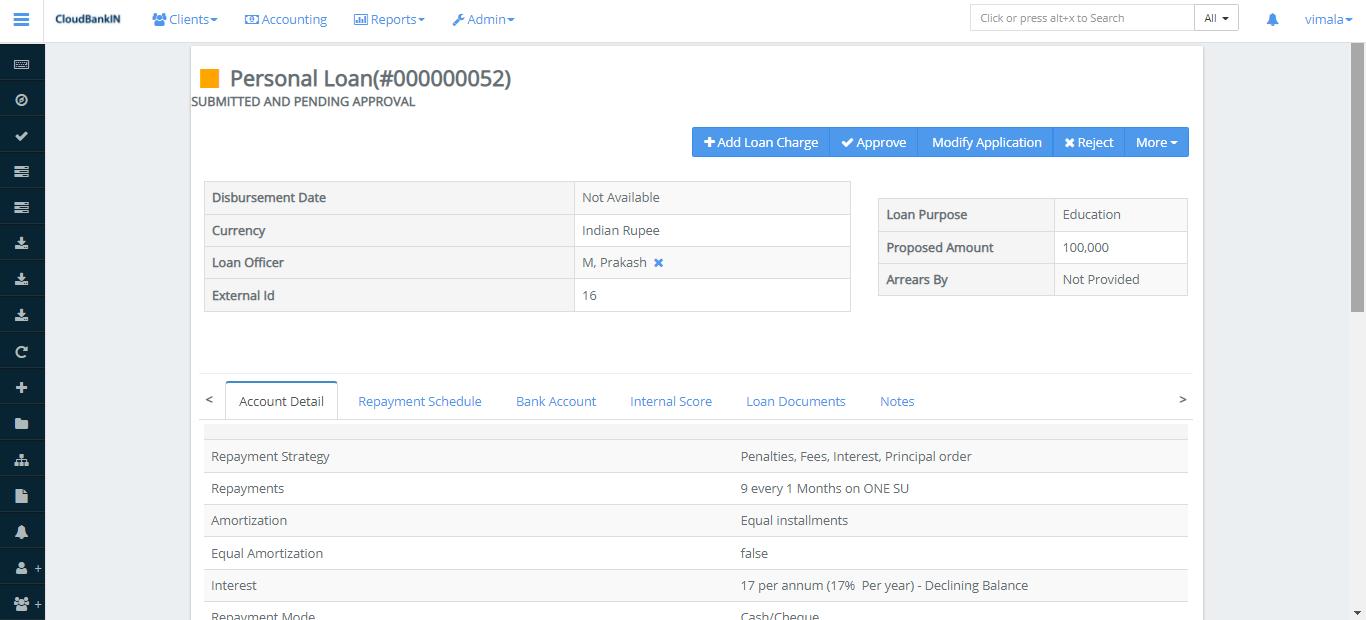
Once the loan application is summited, it will land in the view loan account form. The user can Approve and Disburse the loan.
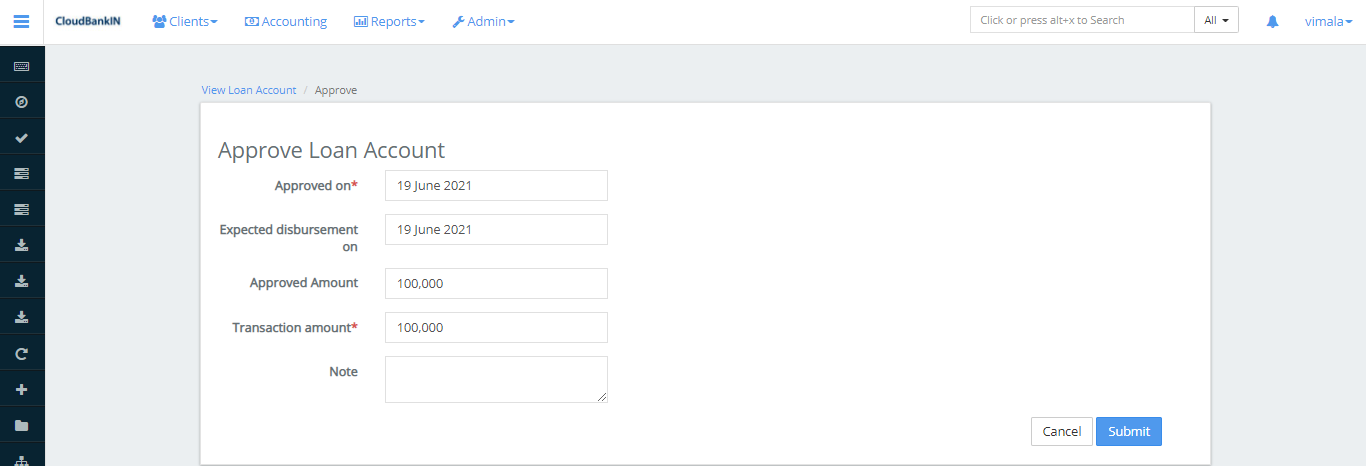
Approve – Once the Loan is created you can verify and Approve it
Modify Application – If you want to Modify the loan application details. It will return to the application form you can make the necessary changes and then click Submit
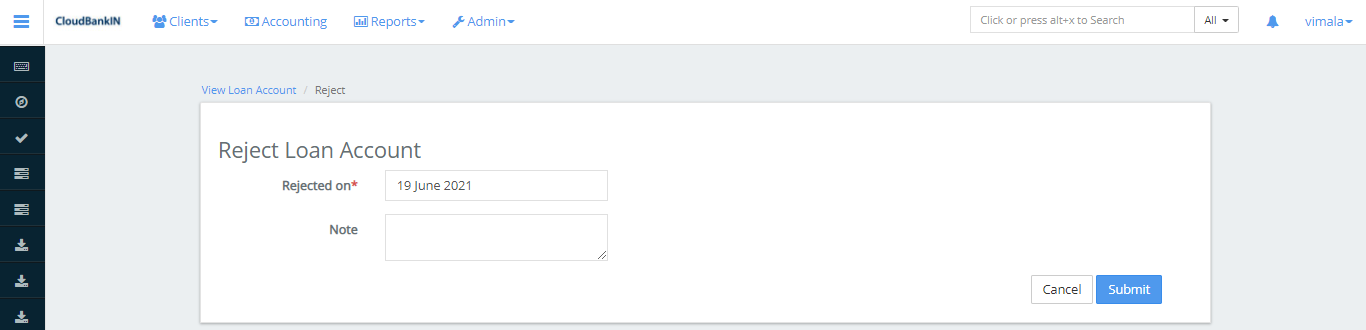
Reject – If you want to reject the loan application, click Reject and choose the date you want to reject it, then click Submit